

Araknis Networks Installation for Large Homes

A beautiful home can have fast internet service and still feel digitally frustrating. Video calls freeze in the guest suite, music drops on the patio, cameras lag at the gate, and a new smart thermostat seems to work only when it wants to. Araknis Networks installation: fixing Wi-Fi problems in large homes starts by treating the network as essential infrastructure, not as a single router placed wherever the cable company left it.
For homes across South Florida and Colorado, that distinction matters. Concrete block construction, stone finishes, metal framing, radiant barriers, expansive outdoor areas, multiple floors, and detached structures can all affect wireless performance. Add Control4, surveillance, whole-home audio, streaming, lighting, climate control, and a household full of personal devices, and the network becomes the foundation for how the property feels to live in.
Why Large Homes Outgrow a Standard Wi-Fi Setup
Most consumer Wi-Fi systems are designed to make setup easy, not to solve the unique demands of a custom residence. They may be perfectly suitable for a smaller home with an open floor plan. In a larger property, however, one gateway or a few poorly placed mesh nodes often create inconsistent coverage and devices that cling to a weak signal rather than moving to a stronger one.
The symptoms are familiar: strong Wi-Fi near the equipment rack and unreliable service at the far end of the home. Yet coverage is only one part of the issue. A network also has to manage capacity. Dozens or even hundreds of connected devices can compete for bandwidth, especially when family members are streaming 4K content, participating in video meetings, gaming, backing up photos, and using smart-home services at the same time.
A professional design considers the full path data takes through the home. That includes the incoming internet connection, router, switches, wireless access points, structured wiring, device priorities, and remote management. It is a planned system rather than a collection of products.
Araknis Networks Installation: Fixing Wi-Fi Problems in Large Homes
Araknis Networks equipment is built for professionally installed environments where reliability, visibility, and long-term support matter. The goal is not simply to display more Wi-Fi bars on a phone. It is to create a stable network that supports the lifestyle and technology throughout the property.
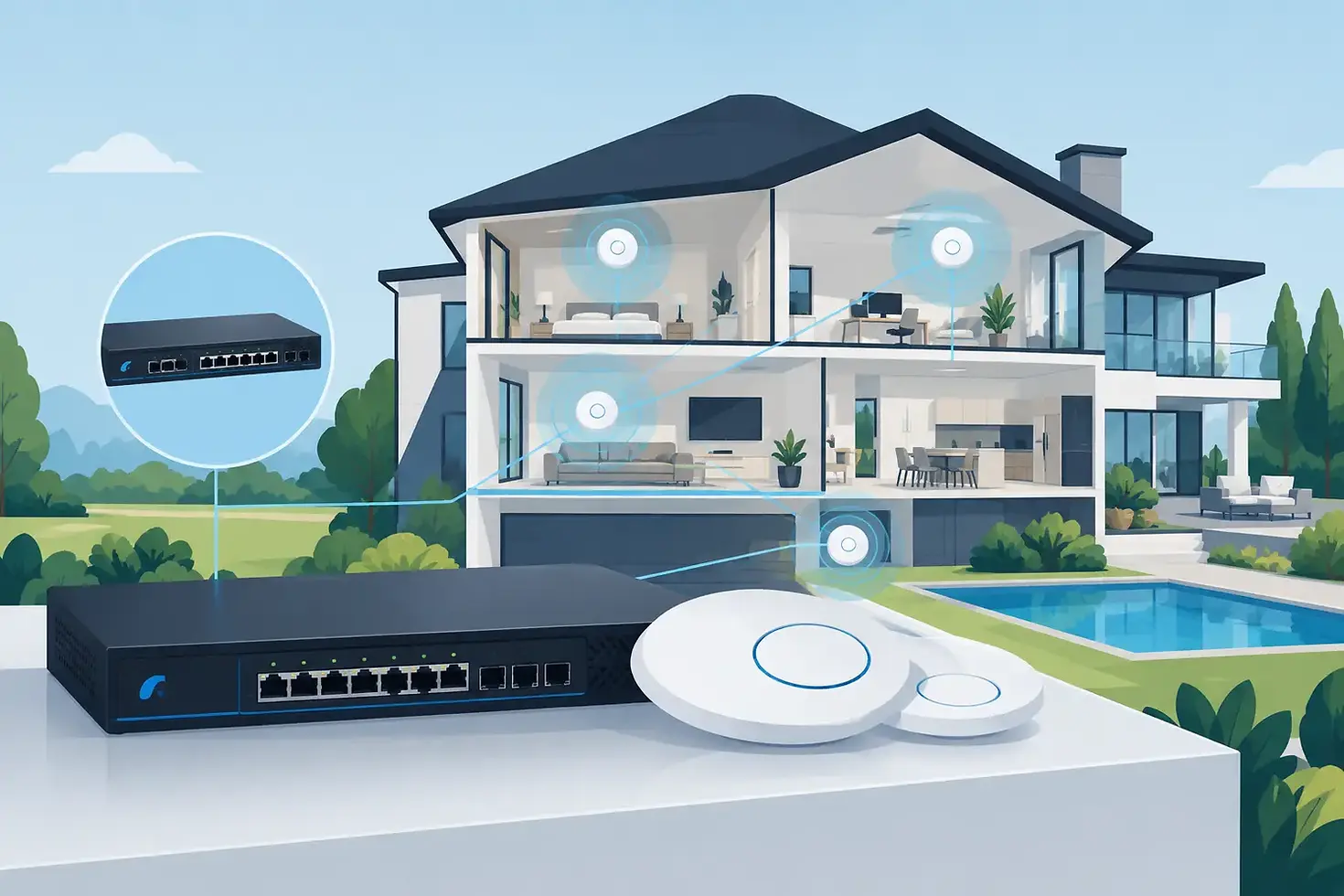
An Araknis design typically uses wired wireless access points placed intentionally around the home. Each access point connects back to the network through Ethernet cabling instead of relying on a wireless hop from one extender to another. This approach preserves performance and gives devices a stronger, more consistent connection in the rooms where people actually use them.
For a new build or major renovation, planning begins before drywall. Cable pathways, equipment locations, ceiling access-point positions, and outdoor coverage can be coordinated with the builder, architect, and interior designer. That early work protects both performance and aesthetics. Access points can be located for effective coverage without compromising the visual character of a carefully designed space.
In an existing home, the approach depends on the available wiring, construction materials, and desired coverage areas. Sometimes existing Cat5e or Cat6 cabling can be used. In other cases, a targeted wiring plan, professionally installed access points, or carefully selected alternatives provide the right result. There is no universal placement formula because a long, single-story estate behaves very differently from a three-level home with concrete floors.
Coverage is planned room by room
A reliable Wi-Fi plan begins with how the home is used. Bedrooms, offices, kitchens, theaters, gyms, pool areas, guest houses, garages, and outdoor entertaining spaces all have different expectations. An office may need dependable video conferencing. A theater may need reliable high-bandwidth streaming. A gate camera needs consistent connectivity even though it is far from the main residence.
Professional installation accounts for walls, cabinetry, mirrors, masonry, mechanical rooms, and other obstacles that can weaken or reflect a wireless signal. It also avoids the common mistake of putting access points only where they are convenient to install. The right location is the one that supports the experience in the space.
Wired infrastructure carries the load
Wi-Fi should be wireless at the device, not necessarily throughout the network. Whenever practical, bandwidth-heavy or fixed devices should use a wired connection. Televisions, media players, gaming systems, Control4 controllers, network video recorders, desktop computers, and wireless access points all benefit from Ethernet.
This does not mean every device needs a visible cable. It means the invisible infrastructure behind the walls is designed to keep wireless capacity available for phones, tablets, and other mobile devices. A hardwired camera system, for example, is generally more dependable than asking several cameras to share wireless bandwidth across a large property.
The network can separate and prioritize traffic
Not every connected device should operate on the same portion of the network. A thoughtfully configured system can separate personal devices, smart-home equipment, surveillance, and guest access. This helps protect privacy, simplifies troubleshooting, and prevents a guest's device from becoming part of the home's critical technology environment.
Prioritization also matters. It may make sense to give video conferencing, security monitoring, or Control4 communications preference over less time-sensitive activity. The exact configuration depends on the household and its internet service. A family that works from home has different needs than a vacation property with frequent guests, and both differ from a home centered on high-performance entertainment.
Better Wi-Fi Supports the Entire Smart Home
When a network is unreliable, every connected system can appear to be the problem. A voice command is delayed, a lighting keypad does not respond immediately, an app shows an offline camera, or music pauses between rooms. Often, the underlying issue is not the lighting, camera, or audio equipment. It is the connection between them.
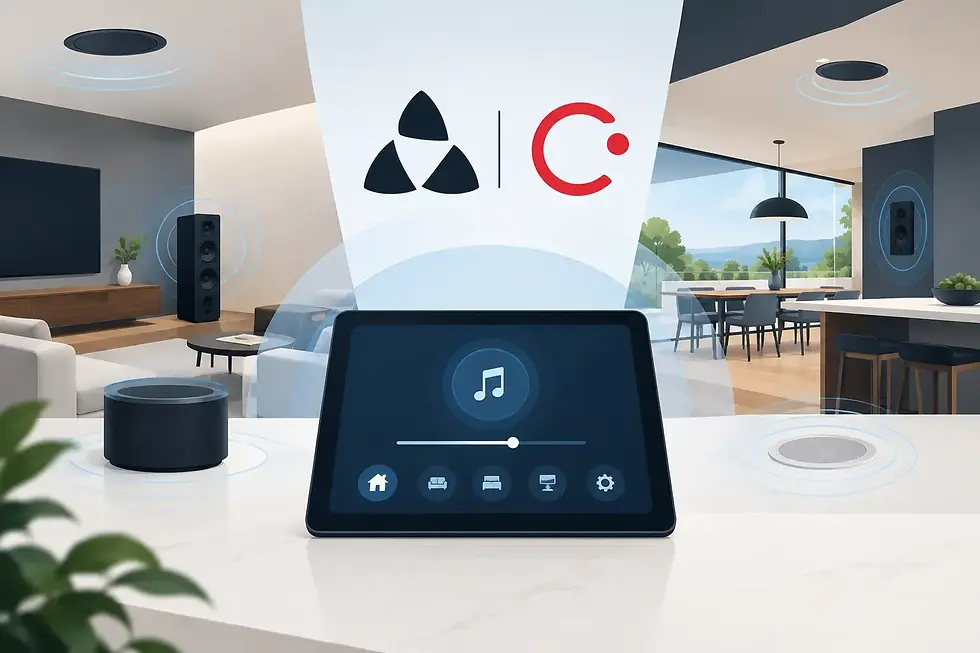
A properly designed Araknis network gives Control4 and connected systems a dependable communication layer. That supports the experiences homeowners expect: one touch to set an evening scene, remote access to cameras and locks, music that follows the family from room to room, and alerts that arrive when they should.
Reliability also improves the service experience. Professional-grade networking equipment gives an integrator meaningful visibility into system performance. When support is needed, remote diagnostics can often identify whether an issue is related to the internet provider, a device, a connection, or the network itself. That can reduce disruption and eliminate much of the guesswork that comes with consumer equipment.
What a Professional Network Assessment Should Address
A worthwhile assessment is more than a quick speed test in the living room. Internet speed is relevant, but it does not reveal dead zones, wireless interference, overloaded equipment, or weak wiring connections. A professional should evaluate the home's layout, construction, existing network hardware, wired infrastructure, device count, outdoor areas, and plans for future technology.
It is also wise to discuss how the home will evolve. A network sized only for today's devices may become restrictive after adding surveillance, a theater, outdoor entertainment, electric-vehicle charging management, or a guest-house renovation. Scalable equipment and organized infrastructure make future changes far easier and less invasive.
There are trade-offs. Higher-speed internet will not fix poor access-point placement. More access points are not automatically better if their channels and power levels are not configured correctly. And wireless is not the ideal answer for every device. The right design balances performance, construction realities, budget, and the level of reliability the household expects.
SmartHome-Techs approaches networking as part of the complete home experience, coordinating it with Control4 automation, entertainment, security, climate, and remote management. The result is not technology for its own sake. It is a home that responds reliably, whether everyone is gathered for a movie night or the property is being monitored from across the country.
The best time to address Wi-Fi frustration is before another workaround becomes permanent. A professionally designed network gives a large home the quiet confidence of technology that simply works, in every room that matters.

Comments