


Araknis Networking for Smarter Connected Homes

A smart home can only feel as refined as the network behind it. When a family expects lighting scenes to respond instantly, cameras to stream clearly, music to follow them outdoors, and remote access to work from anywhere, Araknis networking becomes far more than an internet connection. It becomes the infrastructure that keeps the entire experience dependable.
For homeowners in South Florida and Colorado, that distinction matters. Large floor plans, outdoor living areas, concrete construction, multiple levels, guest spaces, and a growing number of connected devices can quickly expose the limits of an off-the-shelf router. A professionally designed network creates the stable foundation that allows technology to feel simple, personal, and always ready.
What Is Araknis Networking?
Araknis networking is a line of professionally installed networking equipment designed for connected homes and businesses. Depending on the project, a system may include a router, network switches, wireless access points, and remote management capabilities. Together, these components distribute a consistent, secure connection to the devices that power daily life.
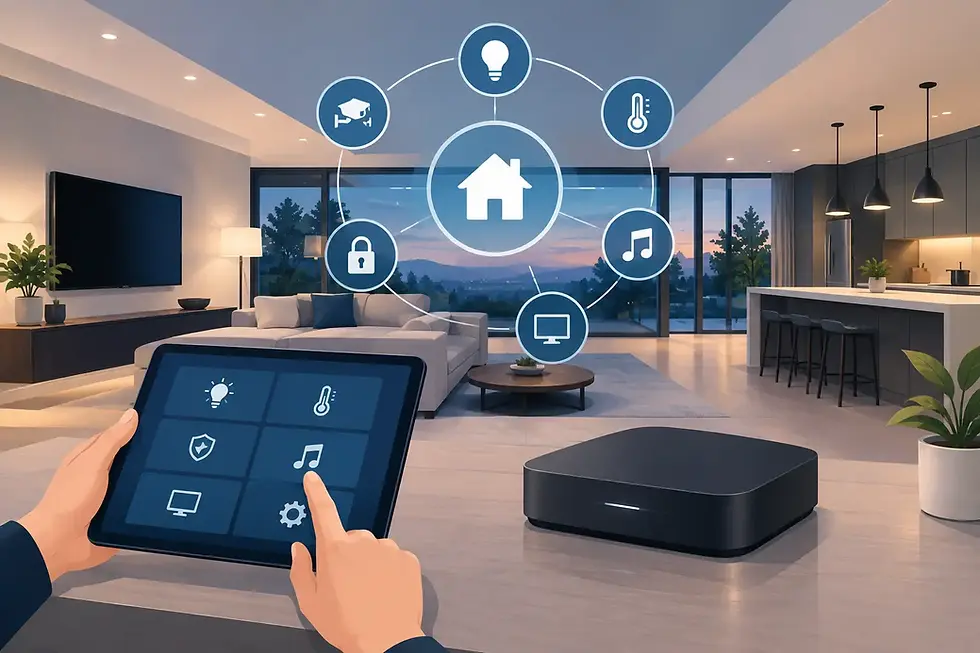
That includes far more than phones and laptops. A modern smart home may rely on the network for Control4 touchscreens, lighting processors, thermostats, smart locks, video doorbells, surveillance cameras, streaming services, distributed audio, theater components, voice assistants, and pool or outdoor controls. Each device places a different demand on the network. Some require low latency for responsive control, while others need sustained bandwidth for high-resolution video.
The benefit of a purpose-designed system is not simply faster internet. Internet service determines how much bandwidth enters the home. Network design determines how effectively that bandwidth reaches the places, rooms, and devices that need it.
Why the Network Shapes the Smart-Home Experience
Disconnected consumer devices can often work well on their own. The problems appear when they must work together, across a larger property, at the same moment. A family streaming a movie, children gaming online, cameras recording to the cloud, and a homeowner checking a door lock remotely all compete for network resources.
A professionally planned Araknis network helps organize that traffic so one activity does not unnecessarily disrupt another. It can also support stronger security practices by separating device categories where appropriate. For example, automation equipment, guest devices, and work-from-home computers may not need to operate on the same portion of the network.
This structure is especially valuable when a home includes security cameras. Cameras need reliable coverage and consistent throughput, but they should not crowd out the performance of video calls or entertainment systems. The right design accounts for camera count, resolution, recording method, viewing habits, and the location of network equipment before installation begins.
The result is less visible than a new theater or a beautifully lit kitchen, but it is felt in every interaction. Commands respond without hesitation. Video loads cleanly. Music stays synchronized from room to room. Remote control remains available when the homeowner is away.
Wi-Fi Coverage Is About Placement, Not Just Signal Strength
One powerful router placed in a utility closet rarely provides an ideal answer for a high-value home. Wi-Fi performance changes with distance, walls, flooring, appliances, mirrors, metal, stone, and building materials. In many South Florida homes, concrete block construction can weaken wireless signals significantly. In Colorado, multi-level layouts, finished basements, and detached outdoor areas often create their own coverage challenges.
Araknis wireless access points allow a professional integrator to extend coverage strategically throughout the property. Rather than asking one device to reach every corner, access points can be placed where people actually use technology: bedrooms, great rooms, offices, patios, guest houses, garages, and pool areas.
Placement should be purposeful. An access point hidden in a cabinet or positioned beside dense mechanical equipment may look convenient during construction, but it can compromise performance. Good network planning balances aesthetics, architectural constraints, and wireless propagation. Whenever possible, access points are connected by wired cabling, giving each one a strong connection back to the network rather than relying on a series of wireless hops.
There is no universal number of access points for every home. A well-built 3,000-square-foot property may need a different approach than a 3,000-square-foot home with concrete walls, a covered terrace, and a separate guest suite. The right solution begins with the property, the construction details, and the way the home will be lived in.
Araknis Networking and Control4 Work Better Together
Control4 brings lighting, climate, entertainment, security, and more into one intuitive experience. The network is what enables those systems to communicate reliably behind the scenes. When the foundation is planned alongside the automation system, the result is more consistent performance and simpler service over time.
Consider an arrival scene. The driveway camera identifies activity, exterior lights come on, the entry unlocks for an approved user, climate adjusts, and music begins in the main living space. These actions may happen in seconds, but they depend on multiple devices communicating across the network.
The same applies to a commercial setting. A restaurant may use connected audio zones, digital signage, surveillance cameras, wireless payment devices, staff tablets, and centrally managed lighting and climate. The network has to support daily operations without becoming another task for the owner or manager to troubleshoot.
At SmartHome-Techs, network design is treated as part of the overall system plan, not an afterthought added once devices start losing connection. That approach helps protect the polished, one-interface experience homeowners and businesses expect from Control4.
Remote Management Changes the Service Experience
A major advantage of professionally managed networking is the ability to diagnose many issues without an unnecessary site visit. With authorized remote access, an integrator can often review the status of network equipment, identify an offline device, check connection quality, or make approved configuration adjustments from afar.
This is particularly useful for seasonal residents, second-home owners, and busy families. If a camera, access point, or smart-home component stops responding, the issue may be isolated faster than it would be with a consumer network that offers little visibility. It also supports proactive maintenance when a network expands or a homeowner adds new devices.
Remote management does not mean every issue can be solved from a distance. Damaged cabling, failed equipment, changing internet service, and construction-related interference may require an on-site evaluation. It does mean that support begins with clearer information and a more efficient path to resolution.
Planning for Growth Protects the Investment
A network that is adequate on move-in day can become strained as technology accumulates. A family may add outdoor cameras, a dedicated office, an EV charger, new streaming equipment, automated shades, or a guest suite. Builders may also leave a home with the cabling needed for future expansion, even if every device is not installed immediately.
Araknis networking supports this long-term approach through scalable components and organized installation practices. Properly labeled cabling, a clean equipment rack, sufficient switch capacity, battery backup where appropriate, and room for additional connections make future updates more straightforward.
There are practical trade-offs to consider. More access points can improve coverage, but they must be placed and configured correctly. Higher camera resolution can deliver more detail, but it increases bandwidth and storage requirements. Wireless devices offer flexibility, while wired connections remain preferable for fixed, high-demand equipment such as theater components, desktop workstations, and many access points.
The goal is not to add technology for its own sake. It is to create a network sized for the home's current needs and prepared for the next phase of life within it.
When Is It Time to Upgrade Your Home Network?
Frequent buffering is an obvious signal, but it is not the only one. A home may benefit from a network assessment when certain rooms consistently have weak Wi-Fi, video calls drop during busy hours, cameras intermittently go offline, smart-home devices show delayed responses, or guests regularly struggle to connect.
It is also wise to assess the network before beginning a major renovation, building a new home, adding a theater, expanding outdoor living spaces, or installing multiple security cameras. These projects create a valuable opportunity to run cabling and plan equipment locations before walls are closed or finishes are complete.
The best connected homes do not call attention to their network. They simply make every room, scene, stream, and security feature feel dependable. Start with the foundation, and the technology above it has room to perform exactly as your life requires.


Comments