


Smart Home Retrofit Installation, Done Right

A beautiful home can still feel needlessly complicated when the lights, thermostats, cameras, televisions, speakers, and shades each live in a different app. A professional smart home retrofit installation changes that experience without requiring a full renovation. The goal is not to add more technology. It is to make the technology you already rely on feel coordinated, intuitive, and built around your life.
For homeowners in South Florida and Colorado, retrofit projects often begin with a practical question: can an existing home deliver the same intelligent control as a new build? In most cases, yes. The right design can bring unified lighting, climate, entertainment, security, and remote access to an established property while protecting its architecture, finishes, and daily routine.
What a Smart Home Retrofit Can Change
A retrofit is the process of adding modern automation infrastructure to an existing home. It may involve replacing conventional lighting controls, upgrading the network, installing discreet speakers, integrating security equipment, or bringing compatible devices into one Control4 interface.
The difference is in the experience. Instead of adjusting separate devices throughout the day, a homeowner can use a personalized scene. A "Good Morning" command might raise selected shades, bring kitchen lighting to a comfortable level, adjust the temperature, and start a preferred news or music source. At night, a single action can turn off entertainment systems, lock doors, arm security, lower shades, and set exterior lighting.
A well-designed system does not need to call attention to itself. It should make the home feel more comfortable, secure, and responsive whether you are there, traveling for the season, or welcoming guests.
Start With the Home You Have
Every successful retrofit starts with an on-site assessment. Existing homes have different constraints than new construction: finished walls, valuable millwork, concrete structures, older wiring, varied Wi-Fi coverage, and equipment accumulated over years of ownership. Those details shape the design.
A professional integrator evaluates more than which products you want to control. They look at the network backbone, electrical capacity, equipment locations, television and audio needs, wireless coverage, camera placement, and opportunities to run new wiring without disrupting finished spaces. In larger homes, this step is especially important. A weak network can make even premium devices feel unreliable.
The plan should also account for the home's character. In a coastal Florida residence, outdoor living, pool areas, weather exposure, and remote monitoring may lead the conversation. In a Colorado home, whole-home climate management, theater performance, shading, and dependable coverage across multiple levels may take priority. The system should respond to the property and the people who live in it, not force a preset package into every room.
Wired, Wireless, or Both?
Retrofitting does not automatically mean opening walls. Many lighting controls, sensors, locks, shades, and audio components can be added with low-impact methods. Wireless technology is often an excellent fit for completed spaces where preserving finishes matters.
That said, wireless is not always the best answer for every function. New wiring may be worthwhile for dedicated home theaters, high-performance audio, hardwired surveillance cameras, network access points, video distribution, and locations where long-term reliability is critical. A hybrid approach often provides the best balance between installation efficiency, performance, and future flexibility.
Build the Foundation Before Adding Features
The most polished interface cannot compensate for a poorly planned network. Smart devices, streaming services, cameras, voice assistants, and mobile control all depend on reliable connectivity. For a retrofit, network design is not an add-on. It is foundational infrastructure.
A professional installation may include enterprise-grade networking equipment, strategically placed wireless access points, structured wiring upgrades, battery backup, and remote management. This gives connected devices a stable environment and helps prevent the familiar frustrations of dropped video, slow streaming, unresponsive apps, or dead zones in bedrooms and outdoor areas.
It also creates a better path for expansion. You may begin with lighting and security, then add distributed audio, motorized shades, or a media room later. When the backbone is designed properly from the beginning, those additions do not require starting over.
Smart Home Retrofit Installation Should Be Room-by-Room
Not every home needs every feature at once. In fact, a phased plan is often the most sensible way to approach a smart home retrofit installation. It allows homeowners to prioritize the rooms and routines that will have the greatest immediate impact while preserving a clear path for future upgrades.
Lighting is often the first step because it changes both function and atmosphere. Replacing standard switches with intelligent keypads and dimmers can reduce wall clutter while giving a room more purposeful control. Rather than a bank of switches, one elegant keypad can activate a cooking scene, entertain scene, evening pathway, or whole-home shutdown.
Climate control is another high-value retrofit area. Intelligent thermostats and sensors can help maintain comfort in spaces that run warmer or cooler than the rest of the home. In homes with multiple HVAC zones, customized schedules and remote adjustments can provide better control without asking homeowners to manage a collection of disconnected thermostat apps.
Entertainment brings a different kind of transformation. Multi-room audio can deliver music to the kitchen, patio, primary suite, and entertaining spaces from one interface. A media room or theater can be simplified so that a single button powers the display, selects the source, adjusts the lighting, and sets the room for movie night. The system handles the sequence in the background, so guests are not handed a stack of remotes.
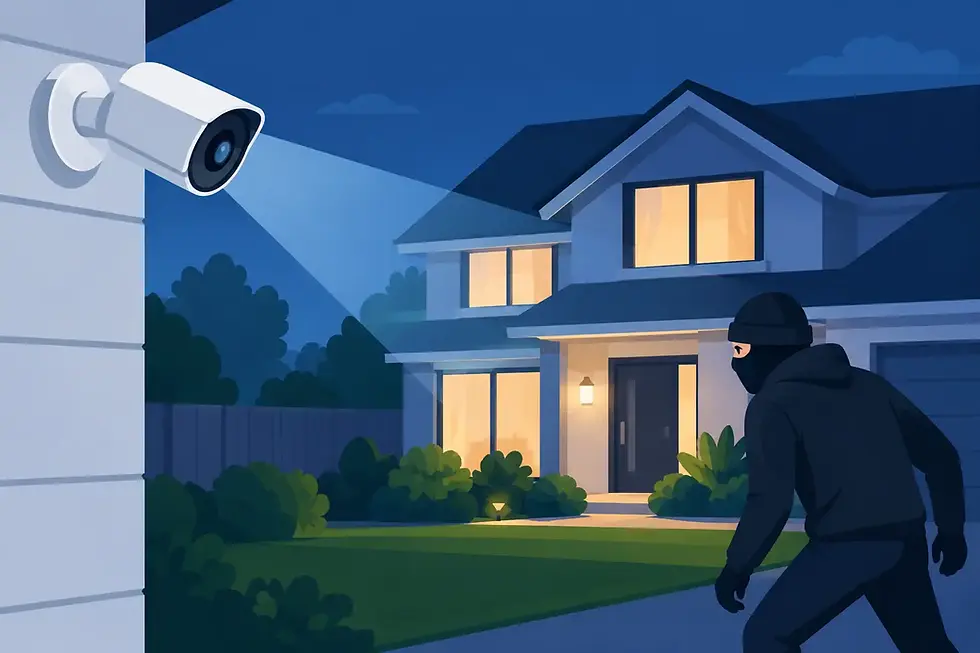
Security and surveillance can also be integrated into the daily experience. Door locks, cameras, gates, garage doors, motion sensors, and alerts can be viewed and managed alongside other home systems. When a camera detects activity at an entry, the home can notify you remotely or bring exterior lights on after dark. The right design supports awareness without turning the home into a constant stream of unnecessary notifications.
One Interface Is Better Than More Apps
Consumer smart devices are easy to buy, but that does not mean they are easy to live with. A home can quickly collect separate apps for lighting, music, television, thermostats, doorbells, cameras, pool equipment, and shades. Each may work independently, yet the experience becomes fragmented when the household needs a simple answer to a simple request.
Control4 is designed to bring compatible systems together through a unified interface. That can mean wall keypads, touchscreens, handheld remotes, voice control, and secure mobile access, all configured around your preferences. The value is not just convenience. It is consistency. The controls should work the same way for family members, guests, and household staff, whether they are in the home or checking in remotely.
Cross-brand compatibility also matters in a retrofit. Homeowners may already own televisions, speakers, thermostats, cameras, or security devices worth keeping. Some can be incorporated into the new system; others may be better replaced if they limit reliability or functionality. An experienced integrator can make those recommendations honestly, based on performance and long-term support rather than novelty.
Programming Is Where the Home Becomes Personal
Equipment installation is only part of the work. Programming determines whether the system feels personal or generic.
A family with young children may want bedtime scenes that dim hallways, secure exterior doors, and keep nursery climate settings consistent. A frequent traveler may prioritize remote alerts, camera access, lighting schedules that make the house appear occupied, and simple controls for house managers. Someone who entertains may want the patio audio, landscape lighting, pool area, and indoor living spaces to operate as one environment.
These automations should be refined after the system is installed, not treated as permanent on day one. Real habits become clear only after living with the home. Professional support makes it possible to adjust scenes, add devices, update programming, and solve issues without returning to a patchwork of DIY settings.
Plan for the Next Five Years, Not Just This Weekend
The strongest retrofit designs leave room to grow. That does not mean buying every available feature now. It means selecting infrastructure and a control platform that can adapt as your needs change.
You might prepare wiring for future shades while renovating a room, reserve rack space for additional audio zones, or install network capacity that supports cameras and outdoor technology later. Small planning decisions can protect the home from expensive disruption down the road.
SmartHome-Techs approaches retrofit projects as long-term technology partnerships, combining system design, certified installation, custom programming, and ongoing service. That continuity matters when your home's systems need to remain dependable through software updates, new devices, changing routines, and future renovations.
The best first step is not choosing a device. It is identifying the moments in your home that feel more complicated than they should, then designing a calmer, more reliable way to live with them.


Comments