


Can Control4 Integrate Existing Devices at Home?

A house full of smart devices can still feel surprisingly unintelligent. One app controls the thermostat, another opens the garage, a remote handles the theater, and a mix of voice commands may or may not work when you need them. So, can Control4 integrate existing devices? In many cases, yes. The more useful question is which devices can become part of a dependable, unified experience and which ones will limit the system you want to build.
Control4 is designed to bring compatible technology from many manufacturers into one personalized interface. That can mean keeping quality equipment you already own while gaining simpler control of lighting, entertainment, comfort, security, and more. A professional assessment is essential because compatibility is only the starting point. Reliable communication, network performance, product age, and the level of control you expect all shape the right plan.
Can Control4 Integrate Existing Devices Reliably?
Control4 can integrate a broad range of existing home technologies through direct connections, network communication, infrared control, and purpose-built drivers. Many homeowners are able to retain televisions, AV receivers, speakers, thermostats, motorized shades, cameras, garage-door controllers, and select lighting or security equipment.
However, “it turns on” is different from “it works as part of a polished automation system.” A television may be controllable through one Control4 interface, for example, but a newer model with IP control can provide more accurate feedback and a more responsive experience than an older display controlled by infrared. Likewise, a connected thermostat may appear in the app, while a fully compatible model can participate in comfort scenes, occupancy routines, and remote alerts.
The goal is not to replace technology for the sake of it. It is to preserve the devices that perform well and fit the system, then make thoughtful upgrades where they improve reliability, functionality, or design.
What Existing Equipment Is Often a Good Fit?
TVs, Audio Systems, and Home Theater Components
Entertainment equipment is frequently the easiest place to begin. Control4 can often bring existing TVs, streaming devices, cable or satellite boxes, AV receivers, projectors, and audio components into a single experience. Rather than managing multiple remotes and switching inputs manually, a homeowner can select “Watch Movie” and have the correct equipment power on, the room lighting adjust, and the appropriate source appear on screen.
Older equipment may still be worth integrating when it delivers the performance you enjoy. Yet compatibility should be reviewed carefully for high-value theater systems. Some older receivers lack modern video formats, while certain streaming products provide limited third-party control. A professional integrator can determine whether a device should remain in place, be controlled in a more limited way, or be replaced to support the performance you expect.
Lighting, Shades, and Ceiling Fans
Lighting is one of the most transformative categories in a Control4 home, but it also requires the most careful planning. Existing smart bulbs, switches, dimmers, and shade systems may be compatible, especially when supported by a well-developed integration driver. Even so, whole-home lighting should be evaluated as an electrical and design system, not simply as a collection of individual devices.
For a consistent experience, homeowners often choose professionally specified keypads and dimmers in primary spaces while retaining compatible specialty lighting where it makes sense. This supports scenes that feel intentional: a morning routine, an elegant entertaining setting, pathway lighting after sunset, or a single command that secures the home at night.
Climate Control
Many existing thermostats can be incorporated into Control4, allowing temperature adjustments from touchscreens, remotes, mobile devices, and customized scenes. This is particularly valuable in larger homes and second residences, where remote access offers reassurance before arrival and better visibility while away.
The details matter. A thermostat’s compatibility with your HVAC equipment, zoning configuration, humidity needs, and communication method all affect what is possible. South Florida homeowners may prioritize humidity management and remote monitoring, while Colorado properties may require thoughtful scheduling across changing seasons and distinct zones. Control should complement the HVAC system, not oversimplify it.
Security, Surveillance, and Access
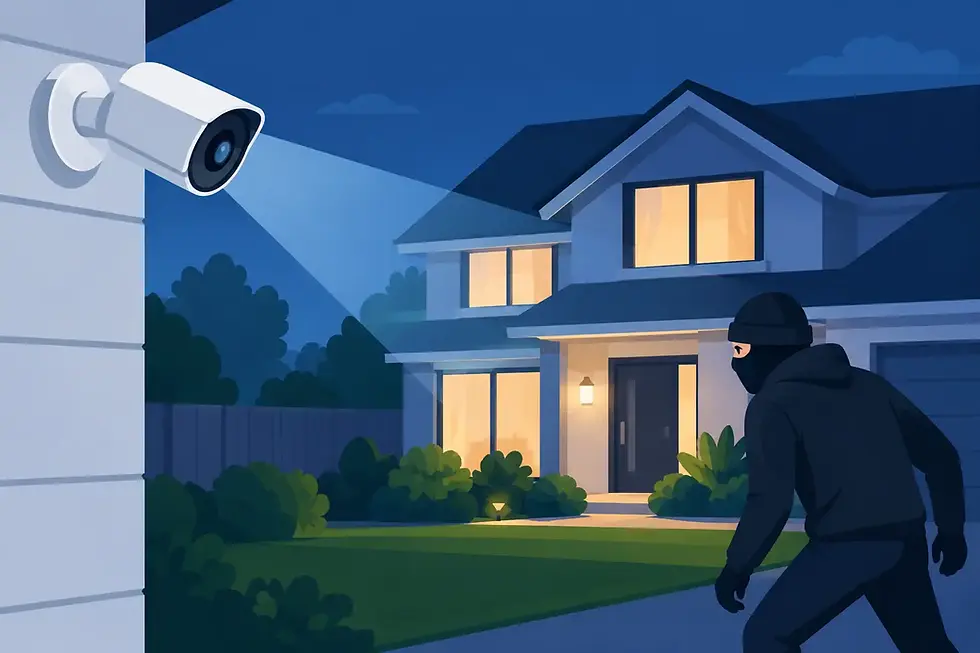
Existing cameras, alarm panels, video doorbells, and electronic locks can sometimes be brought into a Control4 system. When integration is supported, homeowners may view cameras from a touchscreen, receive alerts, check a door lock remotely, or include security actions in an “Away” scene.
Security is also where careful product selection matters most. Not every consumer camera or alarm product exposes the control and status information needed for dependable integration. Privacy, network segmentation, battery maintenance, cloud dependencies, and manufacturer updates deserve attention. For a high-value property, a purpose-designed surveillance and access-control solution may offer a more reliable long-term foundation than trying to connect every standalone device.
Compatibility Is More Than a Brand Name
A familiar brand does not automatically guarantee a complete Control4 experience. The specific model, firmware version, connection method, and available driver determine what can be controlled and whether the system can report accurate status back to the user.
There are several common integration paths. Network-based control is generally preferred because it can provide responsive commands and two-way feedback, such as seeing whether a device is on or off. Hardwired connections can be exceptionally dependable for certain components. Infrared control remains useful for older AV equipment, although it cannot always confirm a device’s current state. Some products depend on cloud services, which can introduce delays or change when a manufacturer updates its platform.
This is why an integrator tests the actual equipment list rather than offering a blanket promise. A well-designed system accounts for the technology in the home today and the way the homeowner expects to use it tomorrow.
When Replacing a Device Makes More Sense
Keeping existing equipment is not always the best value. A device may be technically compatible but still create frustration through slow response times, inconsistent status, limited features, or frequent service needs. In other cases, a replacement may simplify the installation, improve visual consistency, or prepare the home for future expansion.
Networking equipment is a common example. Smart-home reliability depends heavily on the network beneath it. If Wi-Fi coverage is uneven, switches are overloaded, or consumer-grade gear cannot support the number of connected devices, even excellent automation products will feel unreliable. A professionally designed network gives lighting, surveillance, streaming, mobile control, and automation a stable foundation.
The same principle applies to aging security panels, unsupported smart hubs, and piecemeal audio systems. It may be more economical to retire a weak link than repeatedly troubleshoot a system built around it.
A Better Way to Plan an Existing-Home Upgrade
The strongest Control4 projects begin with discovery, not a product list. A professional team should review the home’s existing devices, wiring, wireless coverage, electrical configuration, architectural finishes, and daily routines. They should also ask what matters most: effortless entertaining, easier management of a second home, stronger security, family-friendly control, dedicated theater performance, or outdoor living that works as beautifully as the interior.
From there, the design can be phased. You might start by unifying entertainment, lighting, and climate in the rooms used every day. Later, add motorized shades, distributed audio, outdoor technology, or expanded surveillance without rebuilding the entire system. This flexibility is one of Control4’s advantages when it is planned correctly from the beginning.
For homeowners in South Florida and Colorado, SmartHome-Techs approaches integration as a personalized system design decision. The focus is on retaining the equipment that deserves a place in the home, resolving the technology that causes friction, and creating control that remains intuitive long after installation day.
The Result Should Feel Simple
The most successful smart-home system does not call attention to its complexity. It gives you a single, dependable way to adjust the room, start the evening, check the property, or prepare the house before you arrive. Existing devices can be part of that experience, but only when they support the reliability, comfort, and control you want from the finished home.
Before purchasing replacements or adding another standalone smart product, have the current system evaluated as a whole. The right integration plan can turn useful individual devices into a home that responds naturally to the way you live.


Comments