


How to Improve Home WiFi Coverage With Araknis

A beautiful home can still have frustrating WiFi. The video call drops when you move to the patio. A security camera lags at the side gate. Music pauses in the primary suite while the kids are gaming downstairs. Learning how to improve home WiFi coverage with Araknis begins with recognizing that these problems are rarely solved by placing a more powerful router in a closet.
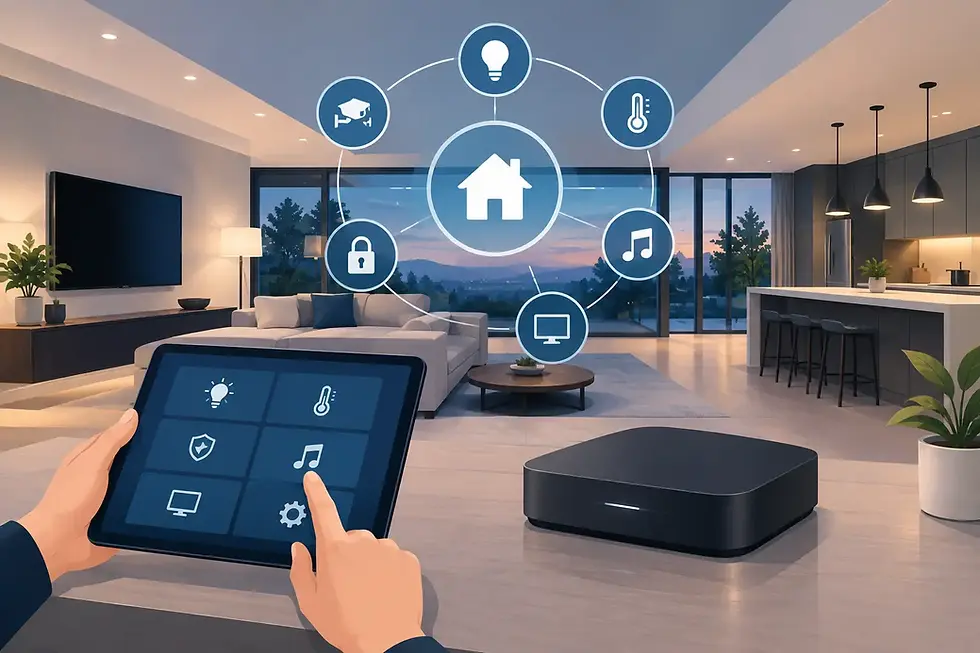
For larger homes, renovated properties, and new builds, WiFi is part of the home’s essential infrastructure. It supports streaming, lighting control, climate systems, surveillance, voice assistants, remote work, and the mobile devices everyone brings through the door. Araknis networking equipment gives a professionally designed system the foundation to deliver dependable coverage where daily life actually happens.
How to Improve Home WiFi Coverage With Araknis
An Araknis network is most effective when it is designed as a complete system, not treated as a single device purchase. The router manages the connection, switches distribute network traffic and power where needed, and wireless access points extend WiFi throughout the property. Each component has a distinct role, and the design must reflect the home’s structure, layout, connected devices, and lifestyle.
That distinction matters. A large open-concept home may need fewer access points than a smaller property built with concrete block walls, steel framing, radiant barriers, or dense stone finishes. In South Florida, concrete construction and outdoor living spaces can create meaningful wireless obstacles. In Colorado, multi-level floor plans, finished basements, detached garages, and mountain-area property layouts can present a different set of challenges.
The goal is not simply to make a WiFi signal visible in every room. It is to create consistent capacity for the devices that need it, without forcing phones, tablets, cameras, and smart-home equipment to compete for a weak connection.
Start With a Whole-Home Network Assessment
The first step is understanding how the home uses data. A household that primarily streams television has different network demands than a home with multiple 4K displays, work-from-home offices, a dedicated theater, dozens of lighting loads, high-resolution surveillance cameras, and whole-home audio.
A professional assessment considers more than square footage. It looks at wall materials, floor plans, equipment locations, outdoor areas, internet-service handoff location, and the number and type of connected devices. It also identifies where wired network connections should be available for fixed, high-demand equipment such as TVs, media players, gaming consoles, desktop computers, and surveillance recorders.
This planning stage is especially valuable during construction or a major renovation, when structured wiring can be installed cleanly behind walls. Existing homes can also be upgraded thoughtfully. The right approach may use available pathways, low-profile access point locations, and discreet equipment placement that respects the home’s architecture and interior design.
Why signal bars do not tell the full story
A phone can show a strong WiFi signal and still perform poorly. Signal strength is only one part of the experience. Network congestion, interference, distance, outdated hardware, and an overloaded access point can all reduce speed and responsiveness.
A proper assessment looks for real-world performance in the rooms that matter. That includes the kitchen during a busy evening, the home office during a video conference, the theater during streaming, and the backyard when cameras, outdoor audio, and mobile devices are in use. Coverage should be measured around the way the property is lived in, not around a theoretical circle on a floor plan.
Use Wired Access Points Instead of Wireless Extenders
The most dependable way to expand coverage is usually to install multiple Araknis wireless access points connected by Ethernet cable. These access points are placed in strategic areas of the home and fed by a wired network, often through Power over Ethernet from an appropriate network switch. This allows each access point to provide a strong local wireless connection without relying on another wireless signal to carry its traffic.
Wireless extenders can have a role in a small or difficult-to-wire area, but they are a compromise. Many repeat the same WiFi signal they receive, which can reduce available bandwidth and introduce inconsistency. They can be useful as a temporary measure, yet they are rarely the preferred answer for a luxury residence with extensive smart-home technology.
Wired access points provide more predictable performance and make it easier for devices to move through the home. When properly configured, a phone can transition from one access point to another with far less interruption as you move from the living room to the upstairs bedroom or out to the pool area.
Placement is a design decision, not an afterthought
Access point placement has a significant effect on coverage. Tucking an access point inside a media cabinet, behind a TV, or in a utility closet may preserve a clean look in the moment, but it can severely limit performance. WiFi signals are affected by dense materials, metal, plumbing, appliances, mirrors, and even large collections of electronics.
Ceiling placement is often effective because it gives the signal a clear path into living spaces. Wall placement can work well in certain floor plans. The right choice depends on the building materials and the coverage target. A professional design also considers where access points will be least visually intrusive while remaining accessible for service.
Outdoor WiFi deserves the same attention. A patio, summer kitchen, pool deck, guest house, or dock area may need dedicated coverage rather than hoping an indoor access point reaches through exterior walls. The equipment and installation method should be selected for the environment, particularly in humid, coastal, or exposed conditions.
Give Smart-Home Devices Their Own Network Strategy
A connected home may have more devices than its owners realize. Cameras, thermostats, lighting processors, audio components, door locks, video doorbells, appliances, voice assistants, televisions, phones, tablets, and guest devices all rely on the network in different ways.
Araknis equipment supports a more organized approach to these demands. A professional integrator can separate device categories through network segmentation where appropriate, such as keeping guest devices apart from the systems that manage security and automation. This improves privacy and reduces the chance that a visitor’s device or a poorly configured consumer product affects critical home systems.
Not every device needs the same type of connection. Whenever possible, stationary devices that transfer significant data should use Ethernet. Hardwiring a theater, office, network video recorder, or fixed streaming component preserves wireless capacity for devices that truly need WiFi. The result is a cleaner, more reliable network for both entertainment and automation.
Configure Roaming, Security, and Capacity Properly
Buying quality hardware is only part of the solution. Configuration determines whether the system behaves as one coordinated network or a collection of competing wireless signals.
A professionally configured Araknis system can use a unified network name across the home, with access points tuned to work together. Channel planning helps reduce overlap and interference. Band steering can guide compatible devices toward the most appropriate wireless band, while sensible capacity planning prevents a single access point from carrying too many high-demand devices.
Security should be addressed at the same time. Strong encryption, secure passwords, current firmware, and a separate guest network are practical baseline measures. For homes with remote access, cameras, and integrated control systems, the network should be treated with the same care as the home’s electrical, security, and climate infrastructure.
There are trade-offs. A configuration optimized for maximum range may not deliver the same performance as one optimized for speed in a concentrated area. Older smart-home products may favor the 2.4 GHz band, while newer phones, laptops, and streaming devices can benefit from 5 GHz or newer WiFi capabilities. Good network design accounts for both instead of favoring one category of device at the expense of another.
Plan for Support and Future Expansion
A home network should not become harder to manage as technology grows. Araknis systems are well suited to professionally supported environments because they can be monitored and maintained remotely when configured for remote management. That can make troubleshooting more efficient, whether the issue is an internet outage, a device that has fallen offline, or a change in household needs.
It also creates a better path for expansion. Adding a guest suite, upgrading a theater, installing new cameras, or building an outdoor entertainment area should not require rebuilding the network from scratch. With available switch capacity, structured wiring, and well-documented equipment, the system can adapt as the home changes.
SmartHome-Techs approaches networking as the operating foundation for the complete Control4 experience. The network is planned alongside lighting, entertainment, climate, security, and remote management so each system has the performance it needs without adding more disconnected apps and hardware decisions for the homeowner.
If WiFi has become a daily frustration, begin with the rooms and moments where the connection fails, then evaluate the infrastructure behind them. The right Araknis design can make technology feel less visible, more responsive, and ready for whatever the home asks of it next.


Comments