


Home Automation Maintenance Guide for Reliable Control

A well-designed smart home should fade into the background. The lights respond as you arrive, the climate stays comfortable, music follows you from room to room, and security remains within reach whether you are home or away. A thoughtful home automation maintenance guide keeps that experience dependable instead of allowing small technology issues to become daily frustrations.
For a professionally integrated Control4 home, maintenance is not about constantly adjusting settings or chasing updates. It is about protecting the foundation behind the experience: your network, connected devices, power protection, programming, and the physical systems your automation controls. With the right approach, your home remains personal, responsive, and ready for how your life changes.
Start With the Foundation of Your Smart Home
Most smart-home problems are not caused by the touchscreen, keypad, or mobile app that reveals them. They begin farther upstream. A device may appear offline because of a network issue, a scene may run inconsistently because a piece of equipment lost power, or a camera may seem unreliable because its lens has been affected by weather and debris.
That is why maintenance should begin with the infrastructure. Your home network is the communication path for lighting, climate, surveillance, streaming, voice control, and remote access. It needs sufficient coverage, properly configured equipment, and a plan for safely applying updates. In a larger property, this matters even more. Weak Wi-Fi in one guest room, outdoor area, or detached structure can create the impression that the entire system is unreliable.
Professionally installed systems are designed to coordinate many technologies under one interface. That coordination is valuable, but it also means changes should be handled carefully. Replacing an internet provider router, adding consumer smart devices, moving equipment, or changing network passwords without considering the integrated system can interrupt communication between components.
What Deserves Regular Attention
Network, power, and remote access
A stable network is central to reliable automation. Review wireless coverage as your household changes, especially after adding outdoor entertainment, cameras, new televisions, workspaces, or smart appliances. A home that performed perfectly before a renovation may need additional access points or network adjustments afterward.
Power quality also deserves attention. Surge protection and battery backup equipment help protect sensitive controllers, network hardware, and entertainment components from outages and voltage fluctuations. In South Florida, storm season makes this especially practical. In Colorado, power events and temperature swings can also affect equipment, particularly in homes with outdoor technology or remote structures.
Remote access should be checked periodically as well. Confirm that authorized household members can use the system when away, and remove access for former staff, guests, contractors, or tenants when appropriate. Strong passwords and thoughtful account management are basic but meaningful parts of smart-home security.
Cameras, doorbells, and security devices
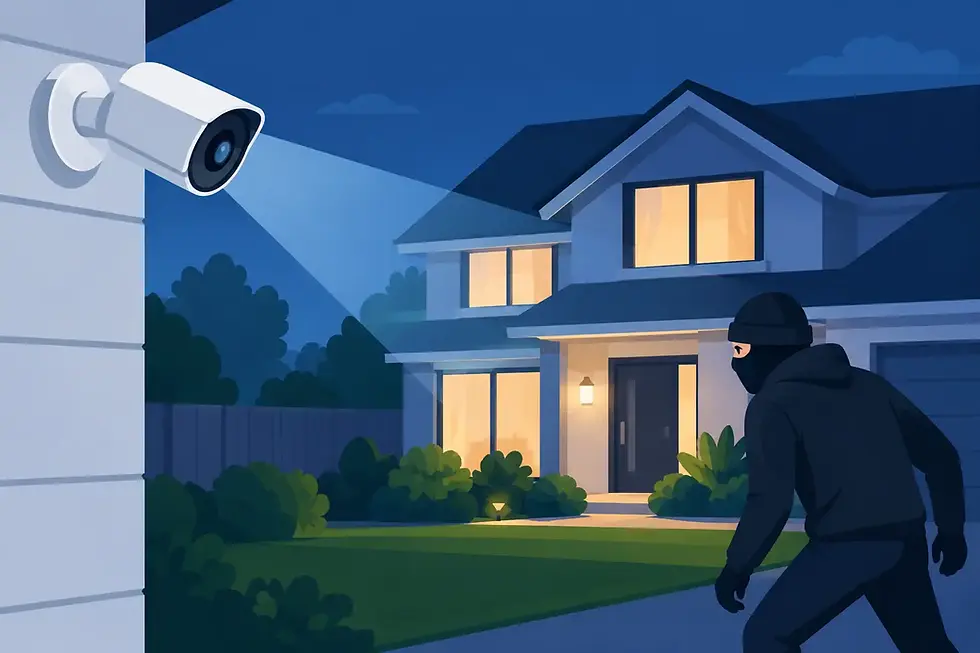
Surveillance equipment works hardest when no one is watching it. Check camera views every few months to make sure landscaping, seasonal decorations, construction, or parked vehicles have not blocked an important angle. Clean lenses using the manufacturer-approved method, and verify that night vision remains clear.
Test door locks, garage access, door contacts, motion sensors, and alarm notifications on a planned schedule. Batteries in wireless devices do not all fail at the same time, and waiting for a low-battery alert can be inconvenient when a device is placed high on a wall or in a secondary residence. It is better to replace aging batteries before a major travel period or hurricane season.
Climate, lighting, and shading
Smart thermostats and automated shades can improve comfort and energy management, but they still depend on the HVAC and window systems they control. Replace HVAC filters on the schedule recommended for your equipment and household conditions. Homes with pets, frequent entertaining, or seasonal occupancy may need more frequent filter changes.
For lighting, note any dimmers, keypads, or fixtures that begin responding slowly or inconsistently. A single missed command may be temporary. A recurring issue is worth investigating before it affects a larger scene, such as an evening entertaining setting or a whole-home goodnight command.
Motorized shades should move freely without fabric bunching, obstructions, or changes to nearby furniture. If a shade stops mid-travel, avoid forcing it. A professional can determine whether the issue is programming, power, alignment, or mechanical wear.
Use a Seasonal Maintenance Rhythm
A simple seasonal routine keeps maintenance manageable and helps your system reflect how you actually use the home. Spring is a good time to review outdoor cameras, landscape lighting, Wi-Fi coverage around patios and pools, and entertainment areas before more time is spent outside. Before summer travel, verify remote access, security alerts, water-leak notifications, and vacation lighting scenes.
In fall, review climate schedules as temperatures change and test the lighting scenes used for earlier sunsets and holiday entertaining. Winter is an ideal time to evaluate theater performance, multi-room audio, guest access, and home-office technology, particularly if more time is spent indoors.
The exact schedule depends on the property. A full-time family residence needs a different cadence than a seasonal home in Boca Raton or a mountain-area property near Denver. Homes with extensive outdoor systems, gate access, pools, theaters, and multiple network zones benefit from a more detailed service plan.
Be Careful With Updates and Household Changes
Software updates can improve security, compatibility, and performance, but they are not always a simple click-and-forget task in an integrated environment. A new update may change device behavior, require driver compatibility checks, or affect a carefully programmed experience. This is particularly relevant when a system includes equipment from multiple manufacturers.
Before making major changes, document what is changing and why. That includes switching internet providers, installing a new television, replacing audio equipment, adding cameras, updating a phone used for control, or purchasing a new smart appliance. Some additions fit neatly into a unified system. Others may create another disconnected app and place an unnecessary burden on the network.
The better question is not whether a device is smart. It is whether it supports the experience you want from your home. A professional integrator can help evaluate compatibility, placement, control options, and future flexibility before a purchase becomes an avoidable service call.
Know When Professional Service Is the Better Choice
Homeowners can handle routine checks, basic cleaning, battery replacement, and noticing patterns. More complex concerns should be addressed by a qualified technician, especially when they involve network configuration, Control4 programming, equipment racks, electrical connections, surveillance recording, or system-wide reliability.
Call for support when scenes repeatedly fail, devices disappear from control, cameras drop offline, audio zones fall out of sync, touchscreens cannot connect, or remote access changes unexpectedly. These symptoms may look isolated, but they can point to a shared cause such as a network conflict, failing power supply, or equipment that needs reconfiguration.
SmartHome-Techs approaches service as part of the long-term ownership experience, not as an afterthought. A system should remain adaptable as your family, property, entertainment preferences, and security needs evolve.
Plan for Maintenance During Every Upgrade
The easiest smart home to maintain is one designed with service in mind. Organized equipment racks, clearly labeled connections, appropriate ventilation, accessible power protection, and documented programming make future adjustments faster and less disruptive. They also protect the design of the home by keeping technology discreet while making it manageable for trained service professionals.
When planning a remodel, addition, landscape upgrade, or new build, reserve room for wiring pathways, network equipment, and future control options. This does not mean filling a home with unnecessary technology. It means creating the flexibility to add the right technology when it serves your lifestyle.
A smart home earns its place when control feels effortless. A little ongoing care protects that feeling, leaving you free to enjoy the comfort, security, and entertainment your home was designed to deliver.


Comments